Download a whole Instagram profile in one click
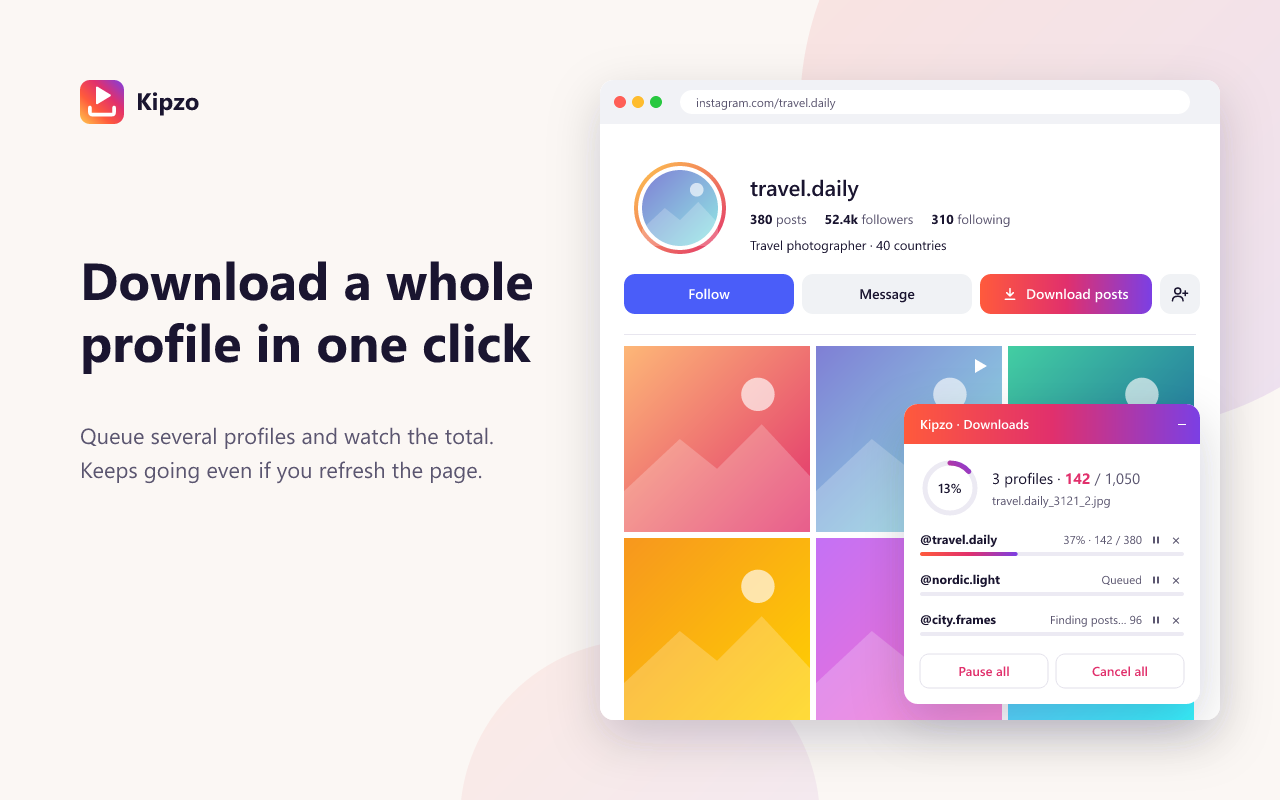
Press “Download posts” on any profile and Kipzo saves everything — photos, videos, reels and every carousel slide. Queue several profiles and watch them in one progress panel.
Free browser extension for Chrome, Edge & Brave on desktop. Not affiliated with Instagram.
Built for people who save a lot
Queue many profiles
Start one profile, then another. One panel shows each profile’s progress and the overall total.
Survives refreshes
Jobs keep running if you reload the page or switch tabs, and you can pause, resume or cancel at any time.
Plays nice with Instagram
If Instagram asks to slow down, Kipzo waits and continues exactly where it stopped. You can set a delay between items.
Incremental
Run a profile again later and only new posts are downloaded.
How to use the Instagram bulk downloader
Three steps. No links to copy, no website to paste into.
- 1
Install Kipzo
Free from the Chrome Web Store.
- 2
Open a profile
Any public profile, or a private one you follow.
- 3
Click Download posts
Files are saved into a folder for that profile while you keep browsing.
Questions, answered
How many posts can it download?
There is no limit in Kipzo. Profiles with thousands of posts work; they simply take longer because Kipzo paces itself to avoid Instagram’s rate limits.
Will my Instagram account get blocked?
Kipzo makes the same kind of requests Instagram’s website makes, at a measured pace, and backs off when Instagram asks. Very heavy use of any tool can still trigger Instagram’s limits, so download responsibly.
Does it include stories and highlights?
Stories and highlights have their own buttons on the profile, so you can save them separately.
Your next download is one click away
Free forever. No sign-up, no watermark, no limits. Works in Chrome, Edge and Brave.
Coming soon to the Chrome Web Store