Save Instagram reels, videos & stories in Full HD 1080p
A download button on every post, reel and story — plus whole profiles in one click. Kipzo gets the 1080p version most downloaders miss, with sound.
- Free forever
- No sign-up
- No watermark
- Runs in your browser
Whatever you’re looking at, save it
Kipzo works where you already browse — no links to copy, no ad-filled websites.
Videos in 1080p
Full HD with sound, merged into one MP4.
Reels
Save any reel, or every reel from a creator.
Stories & highlights
Before they vanish — highlights in their own folders.
Photos & carousels
Full-size JPGs, every slide in order.
Whole profiles
Every post in one click. Queue as many as you like.
Most downloaders give you 720p. Kipzo gets 1080p.
Instagram keeps its sharpest version of a video as two separate streams — picture and sound. Kipzo fetches both and joins them into one MP4, right on your computer. Nothing is uploaded anywhere.
2.25× the pixels
A whole profile in one click
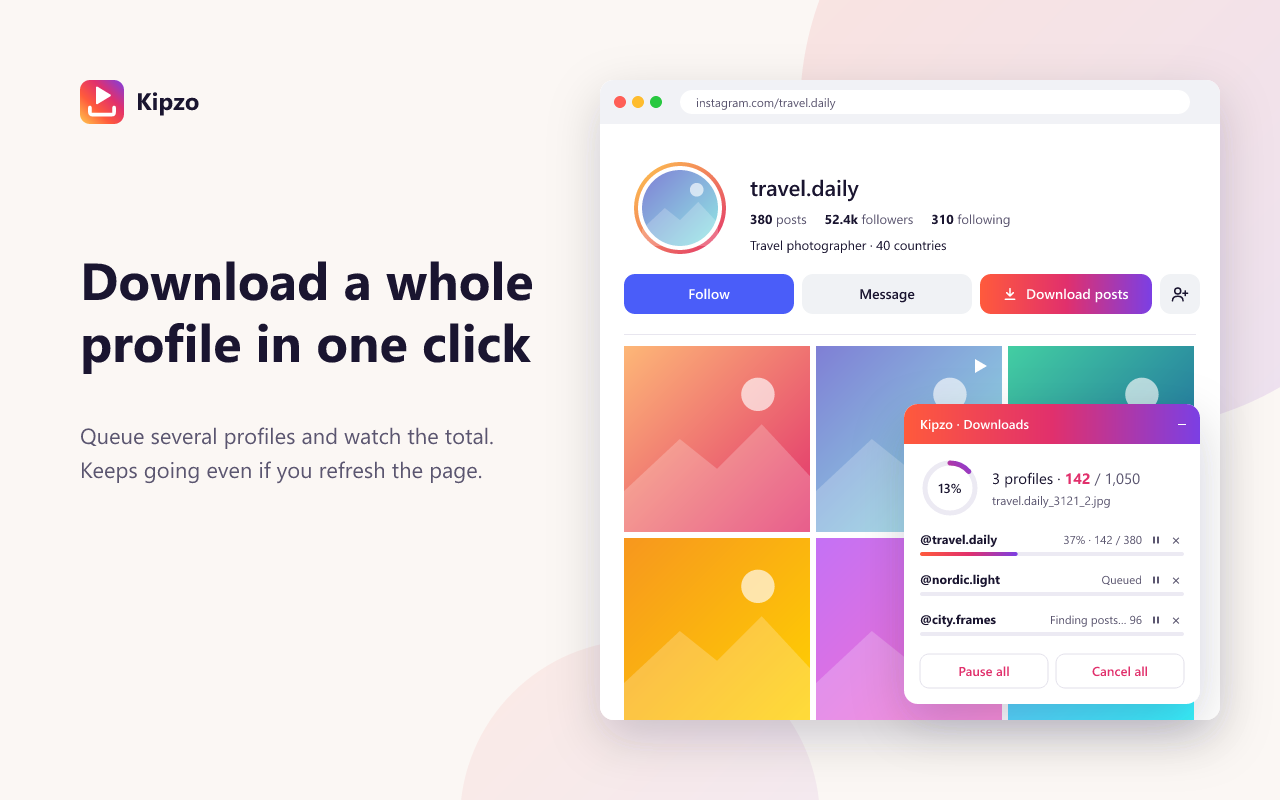
Press “Download posts” on any profile and Kipzo saves every photo, video, reel and carousel slide into its own folder.
- Queue several profiles in one progress panel
- Pause, resume or cancel — survives page refreshes
- Waits politely when Instagram asks to slow down
- Skips files you already saved
Keep stories after the 24 hours
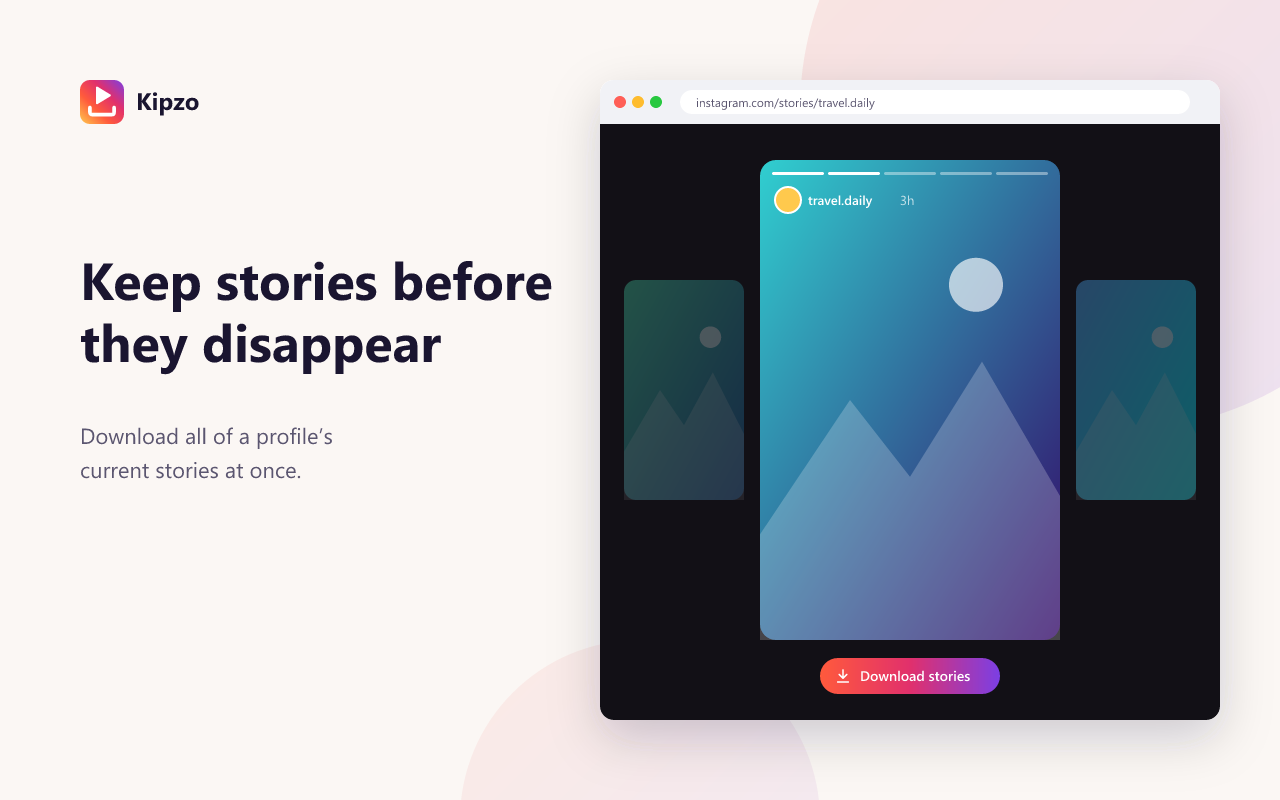
Save an account’s current stories from the profile or while you watch, and every highlight at once — each in a folder named after it.
- All current stories in one click
- Highlights saved into their own folders
- Only new stories are saved next time
Folders and file names that make sense
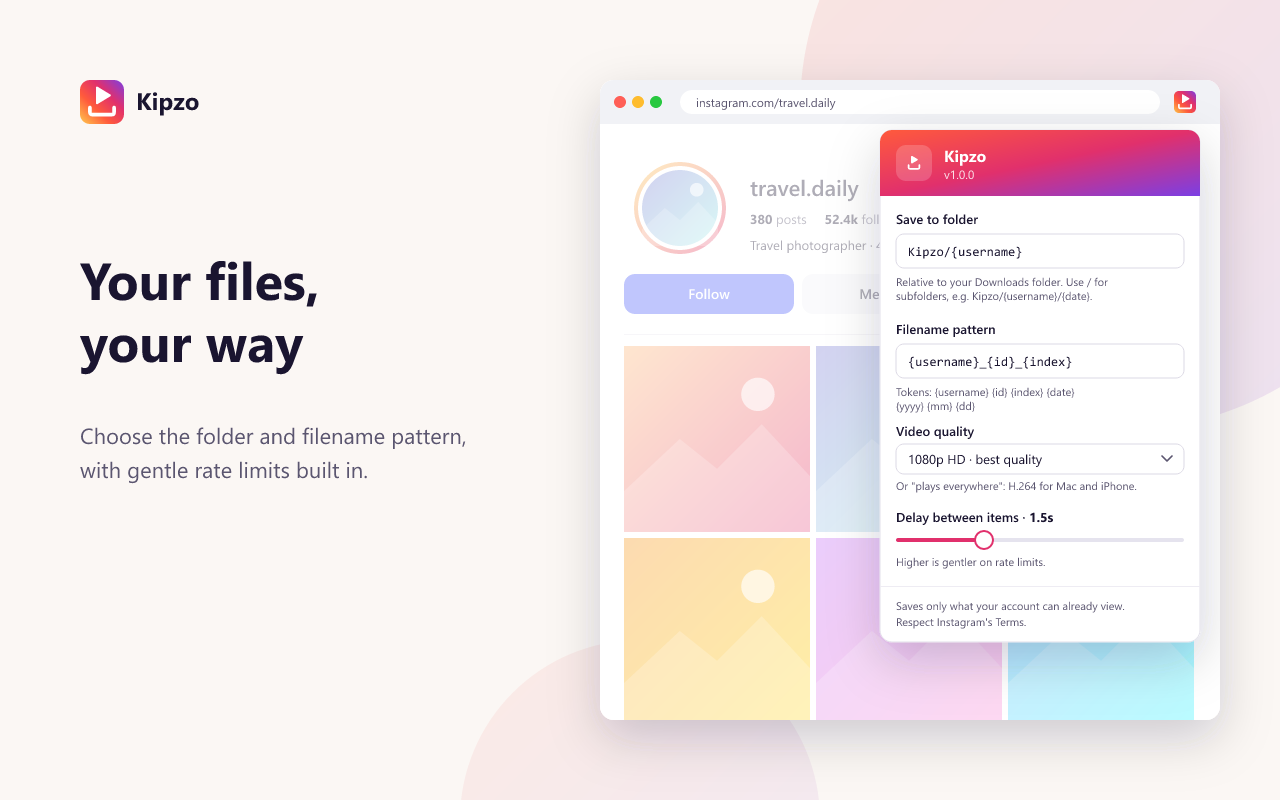
Choose where files go and how they’re named — by username, date, year, month or post ID. A task center in the toolbar shows every download.
- Example: Kipzo/nasa/nasa_2026-10-01_01.mp4
- Pick your video quality
- In 18 languages
Start saving in under a minute
Three steps. No links to copy, no website to paste into.
- 1
Add Kipzo to Chrome
Install it free from the Chrome Web Store. No account needed.
- 2
Open Instagram
Browse instagram.com as usual — download buttons appear on posts, reels, stories and profiles.
- 3
Click Download
Files land in your Downloads folder, in HD, named the way you like.
Your downloads stay yours
No account
Nothing to sign up for. Kipzo never asks for your Instagram password.
No tracking
No analytics, no ads, no telemetry. We don’t even have a server that could see what you save.
Done on your computer
HD videos are merged inside your browser. Files go straight to your Downloads folder.
Questions, answered
Is Kipzo free?
Yes, completely. There is no paid plan, no sign-up, no download limit and no watermark.
Is it a website where I paste a link?
No — Kipzo is a browser extension. It adds download buttons directly to instagram.com, so you save posts, reels and stories while you browse instead of copying links into another site.
Which browsers does it work in?
Google Chrome and other Chromium-based desktop browsers, including Microsoft Edge, Brave, Opera and Vivaldi, on Windows, macOS, Linux and ChromeOS.
Do I need to log in to Instagram?
Kipzo uses the Instagram session you already have in your browser, and only saves what your account can already see. It never asks for or sees your Instagram password.
Can I download from private accounts?
Only from private accounts you follow and can already view. Kipzo does not get around anyone’s privacy settings.
Is it legal to download Instagram videos?
Saving content for personal use is generally fine, but the creator owns it. Don’t re-upload or use other people’s content commercially without permission, and follow Instagram’s Terms of Use.
Does Kipzo collect my data?
No. There are no analytics, no tracking and no servers of ours. Everything runs in your browser and talks only to Instagram.
Is Kipzo made by Instagram?
No. Kipzo is an independent tool and is not affiliated with Instagram or Meta.
Your next download is one click away
Free forever. No sign-up, no watermark, no limits. Works in Chrome, Edge and Brave.
Add to Chrome — it’s free